Command line usage#
SwarmPAL can be used directly from the command line by supplying data and process configuration YAML files.
%%bash
swarmpal --help
Usage: swarmpal [OPTIONS] COMMAND [ARGS]...

Options:
  --help  Show this message and exit.

Command
s:
  batch                Process datasets in batch mode
  fac-single-sat       Execute FAC single-s
atellite processor
  fetch-data           Fetch datasets from Vires or Hapi
  last-available-time  U
TC of last available data for a collection, e.g.
  quicklook            Create a quicklook plot if p
ossible
  spacecraft           List names of available spacecraft
%%bash
swarmpal batch --help
Usage: swarmpal batch [OPTIONS] CONFIG OUT

  Run SwarmPAL in batch mode. The datasets and processes
 need to be specified
  in YAML file and passed as the first CONFIG argument. The results are
  writ
ten to NetCDF files specified by OUT.

Options:
  --time TEXT...  Override the start and end times i
n the configuration file
  --overwrite     Overwrite output file if it already exists
  --help
    Show this message and exit.
Flexible operation#
The CLI can be used in different ways:
A) Fetch data from VirES/HAPI and apply a process
Generate output data with no interim files
B) Fetch data from VirES/HAPI, store it, then apply a process separately
Useful if you want to separate steps, e.g. gather all in the inputs first, then separately apply the processing which occurs locally (where you might iterate to experiment with options, or run the processes in parallel)
C) Use local data and apply a process
Useful for working with data not available via VirES/HAPI
A) Fetch data from VirES and apply a process#
Write a configuration file like the following (note it has two parts, data_params and process_params)
data_params:
  - provider: vires
    collection: SW_OPER_MAGA_LR_1B
    measurements:
      - B_NEC
    models:
      - CHAOS
    start_time: "2025-01-01T00:00:00"
    end_time: "2025-01-02T00:00:00"
    server_url: https://vires.services/ows
    options:
      asynchronous: false
      show_progress: false

process_params:
  - process_name: FAC_single_sat
Provide swarmpal batch with the configuration file and desired output file name
%%bash
swarmpal batch --overwrite configs/FAC_fetch_and_process.yml temp/FAC_processed_A.nc
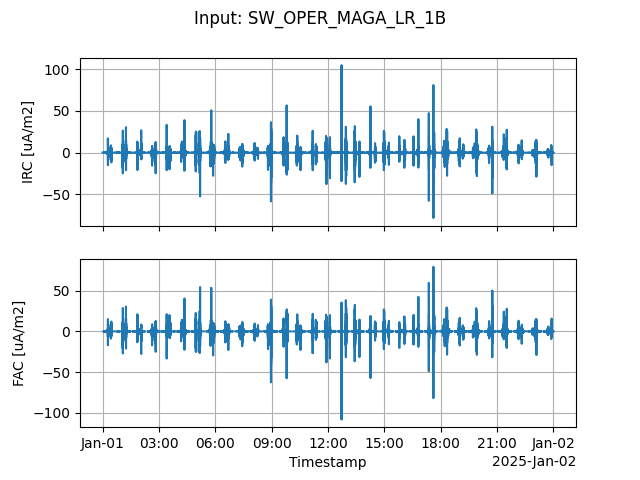
The output data has been saved in the file FAC_processed_A.nc which we might then interrogate in an interactive session, or can generate a quicklook:
%%bash
swarmpal quicklook --overwrite temp/FAC_processed_A.nc temp/FAC_quicklook_A.png
B) Fetch data from VirES, store it, then apply a process separately#
Write a configuration file like the following that only specifies the data_params
data_params:
  - provider: vires
    collection: SW_OPER_MAGA_LR_1B
    measurements:
      - B_NEC
    models:
      - CHAOS
    start_time: "2025-01-01T00:00:00"
    end_time: "2025-01-02T00:00:00"
    server_url: https://vires.services/ows
    options:
      asynchronous: false
      show_progress: false
In this example, we will override the start and end times using the --time option:
%%bash
swarmpal batch --overwrite --time "2025-02-02T00:00:00" "2025-02-03T00:00:00" configs/FAC_fetch_inputs.yml temp/FAC_inputs_B.nc
Note
NB: swarmpal fetch-data is identical in behaviour if there are no processes in the config file - maybe we should remove it to avoid confusion about its purpose, since there is no matching “apply-process” command.
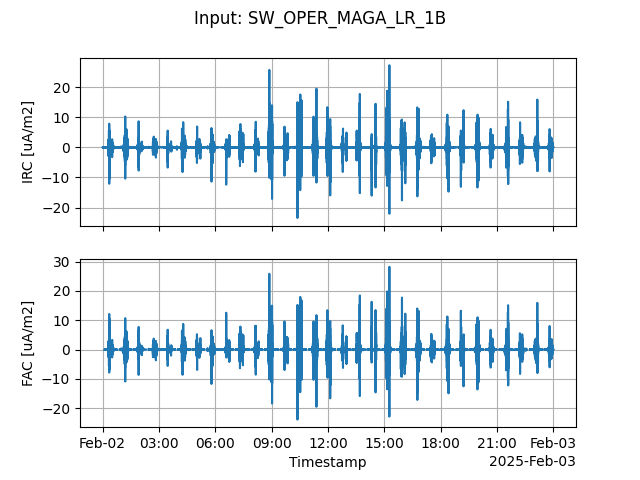
The inputs have been retrieved from VirES and stored as FAC_inputs_B.nc. Next we can apply the process:
data_params:
  - provider: file
    filename: "temp/FAC_inputs_B.nc"
    filetype: "netcdf"
    dataset: "SW_OPER_MAGA_LR_1B"

process_params:
  - process_name: FAC_single_sat
    dataset: "SW_OPER_MAGA_LR_1B"
    model_varname: "B_NEC_CHAOS"
    measurement_varname: "B_NEC"
%%bash
swarmpal batch --overwrite configs/FAC_apply_process.yml temp/FAC_processed_B.nc
swarmpal quicklook --overwrite temp/FAC_processed_B.nc temp/FAC_quicklook_B.png
WARNING:root:Missing auxiliaries: {'Flags_F', 'Flags_q', 'Flags_B'}
C) Use local data and apply a process#
data_params:
  - provider: file
    dataset: "SW_OPER_MAGA_LR_1B"
    filename: "SW_OPER_MAGA_LR_1B_20250410T000000_20250410T235959_0606_MDR_MAG_LR.cdf"
    filetype: "cdf"

process_params:
  - process_name: EXP_LocalForwardMagneticModel
    dataset: "SW_OPER_MAGA_LR_1B"
    model_descriptor: "CHAOS-Core"
  - process_name: FAC_single_sat
    dataset: SW_OPER_MAGA_LR_1B
    model_varname: B_NEC_CHAOS-Core
    measurement_varname: B_NEC
    time_jump_limit: 1
Note that in this case, we also run an experimental process EXP_LocalForwardMagneticModel to provide the CHAOS model predictions, computed locally (whereas before they were computed on VirES).
(This example usage is skipped since you must supply the CDF file)
# %%bash
# swarmpal batch --overwrite configs/FAC_apply_process_local_file.yml temp/FAC_processed_C.nc
# swarmpal quicklook --overwrite temp/FAC_processed_C.nc temp/FAC_quicklook_C.png
# display(Image('temp/FAC_quicklook_C.png'))
Example: TFA#
---
data_params:
- provider: vires
  collection: SW_OPER_MAGA_LR_1B
  measurements:
  - B_NEC
  models:
  - Model='CHAOS-Core'+'CHAOS-Static'
  auxiliaries:
  - QDLat
  - MLT
  start_time: '2025-10-05T00:00:00'
  end_time: '2025-10-05T01:00:00'
  pad_times:
  - 03:00:00
  - 03:00:00
  server_url: https://vires.services/ows
process_params:
- process_name: TFA_Preprocess
  dataset: SW_OPER_MAGA_LR_1B
  active_variable: B_NEC
  active_component: 2
  sampling_rate: 1.0
  remove_model: false
- process_name: TFA_Clean
  window_size: 300
  method: iqr
  multiplier: 0.5
- process_name: TFA_Filter
  cutoff_frequency: 0.02
- process_name: TFA_Wavelet
  min_frequency: 0.02
  max_frequency: 0.1
  dj: 0.1
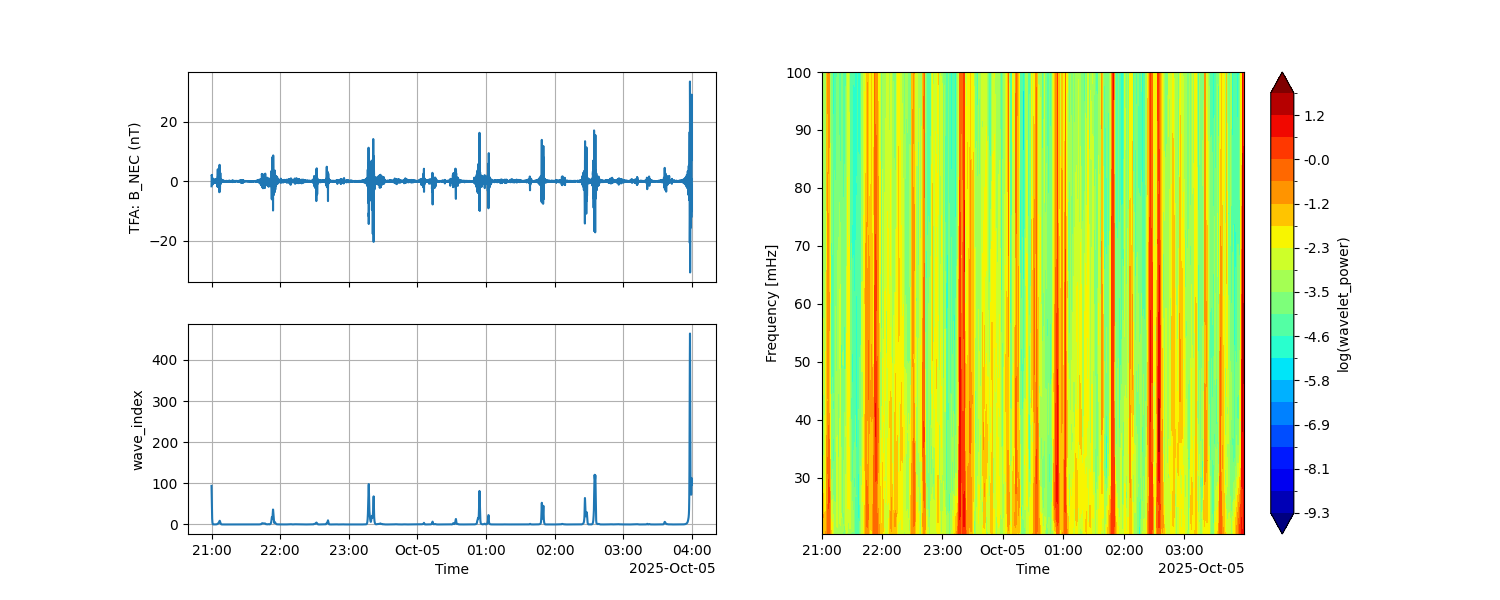
%%bash
swarmpal batch --overwrite configs/TFA.yml TFA_processed.nc
swarmpal quicklook --overwrite TFA_processed.nc temp/TFA_quicklook.png
 Skipping QDLat: not available in data
 Skipping MLT: not available in data
 Skipping QDLat: not available in data
 Skipping MLT: not available in data
Warning
It looks like auxiliaries are not being included when we specify them in the config file
Example: DSECS#
data_params:
  - provider: vires
    collection: SW_OPER_MAGA_LR_1B
    measurements:
      - B_NEC
    models:
      - "Model = CHAOS"
    auxiliaries:
      - QDLat
    start_time: "2016-03-18T11:00:00"
    end_time: "2016-03-18T14:00:00"
    server_url: https://vires.services/ows
    options:
      asynchronous: false
      show_progress: false
  - provider: vires
    collection: SW_OPER_MAGC_LR_1B
    measurements:
      - B_NEC
    models:
      - "Model = CHAOS"
    auxiliaries:
      - QDLat
    start_time: "2016-03-18T11:00:00"
    end_time: "2016-03-18T14:00:00"
    server_url: https://vires.services/ows
    options:
      asynchronous: false
      show_progress: false

process_params:
  - process_name: DSECS_Preprocess
  - process_name: DSECS_Analysis
# %%bash
# swarmpal batch --overwrite configs/DSECS.yml temp/DSECS_processed.nc
# swarmpal quicklook --overwrite temp/DSECS_processed.nc temp/DSECS_quicklook.png
# display(Image("temp/DSECS_quicklook.png"))
To separate data fetching from process application, you could use:
swarmpal fetch-data configs/DSECS.yml temp/DSECS_inputs.nc
Then:
swarmpal batch DSECS_apply_process.yml temp/DSECS_output.nc
with a configuration file like:
data_params:
  - provider: file
    filename: "temp/DSECS_inputs.nc"
    filetype: "netcdf"
    dataset: "SW_OPER_MAGA_LR_1B"
  - provider: file
    filename: "temp/DSECS_inputs.nc"
    filetype: "netcdf"
    dataset: "SW_OPER_MAGC_LR_1B"

process_params:
  - process_name: DSECS_Preprocess
  - process_name: DSECS_Analysis
(Note that both input datasets, MAGA and MAGC, are stored in one .nc file)